Mockup Tool
I lead a project that improved the way our agency presented high-fidelity mockups to clients, before an Invision option was available.
I lead a project that improved the way our agency presented high-fidelity mockups to clients, before an Invision option was available.
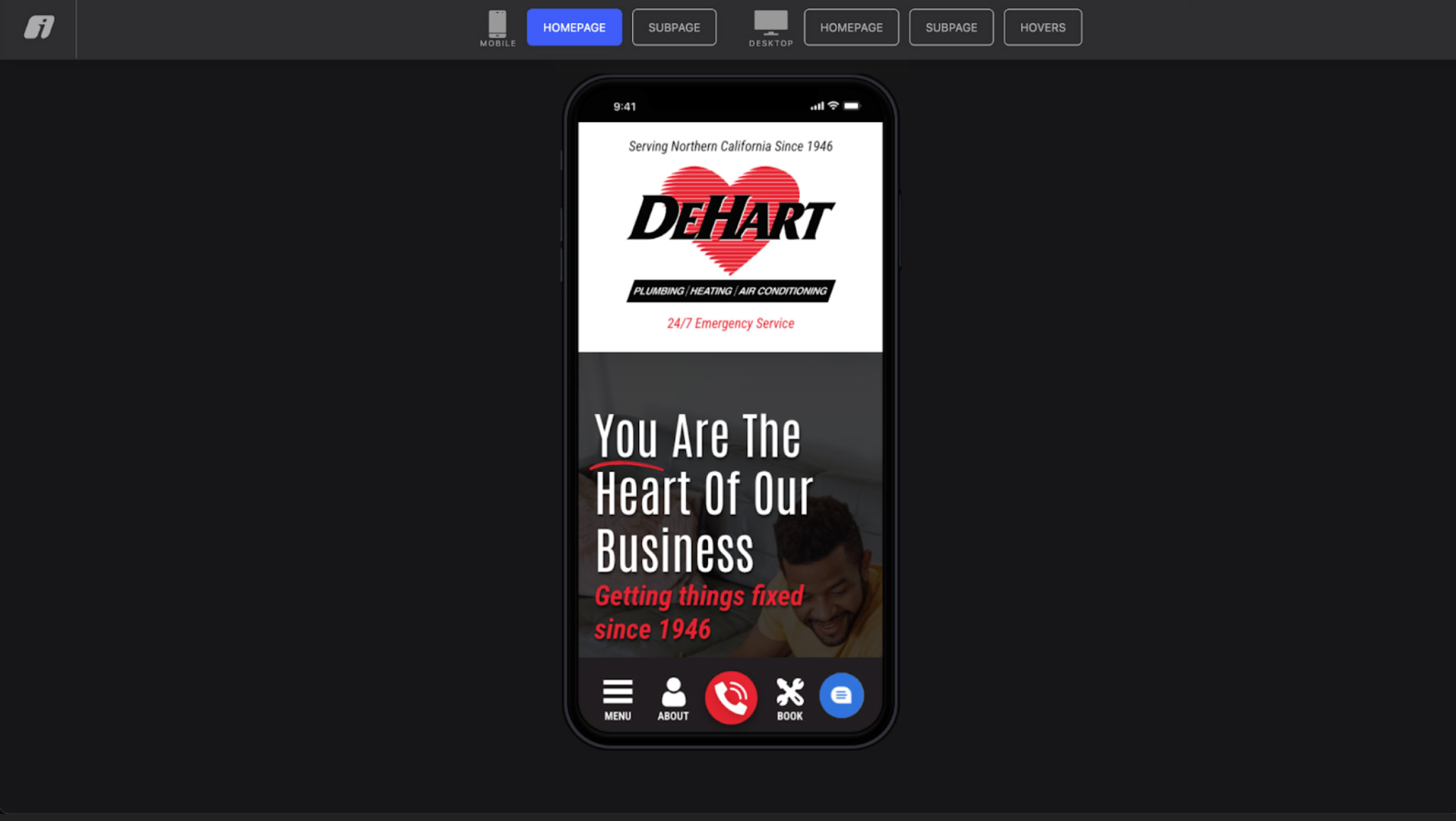
Mockup tool placing the mobile mockup in a realistic setting
Team
- CX Users
- Client Users
What I did
- Design
- Development
- PM
Date
- 2016-2021
- 1 month
Situation
Our agency sent clients static design mockups of their websites in a PDF format to review. It was not a good look. This lead to the following problems:
- Unprofessional. The PDF stretched to whatever screen you had.
- Caused confusion which lead to excessive questions CX fielded.
- No archive or record of mockups.
- Not scalable. Digging through emails never is.
Process
- Research:
- Many of the issues ended up on my plate, so I sought out to scratch my own itch.
- I found a 3rd party service that solved problem for a while, then it went under, breaking all of our links. So much for archiving and scalability.
- I borrowed what worked from their product and decided to recreate it in-house.
- Built Prototype:
- It was an HTML bucket for 4 mockups with an FTP folder-based back-end for designers to use.
- See early mockup below.
- Beta test:
- Sought feedback from design team.
- Sought feedback from few clients and CX members.
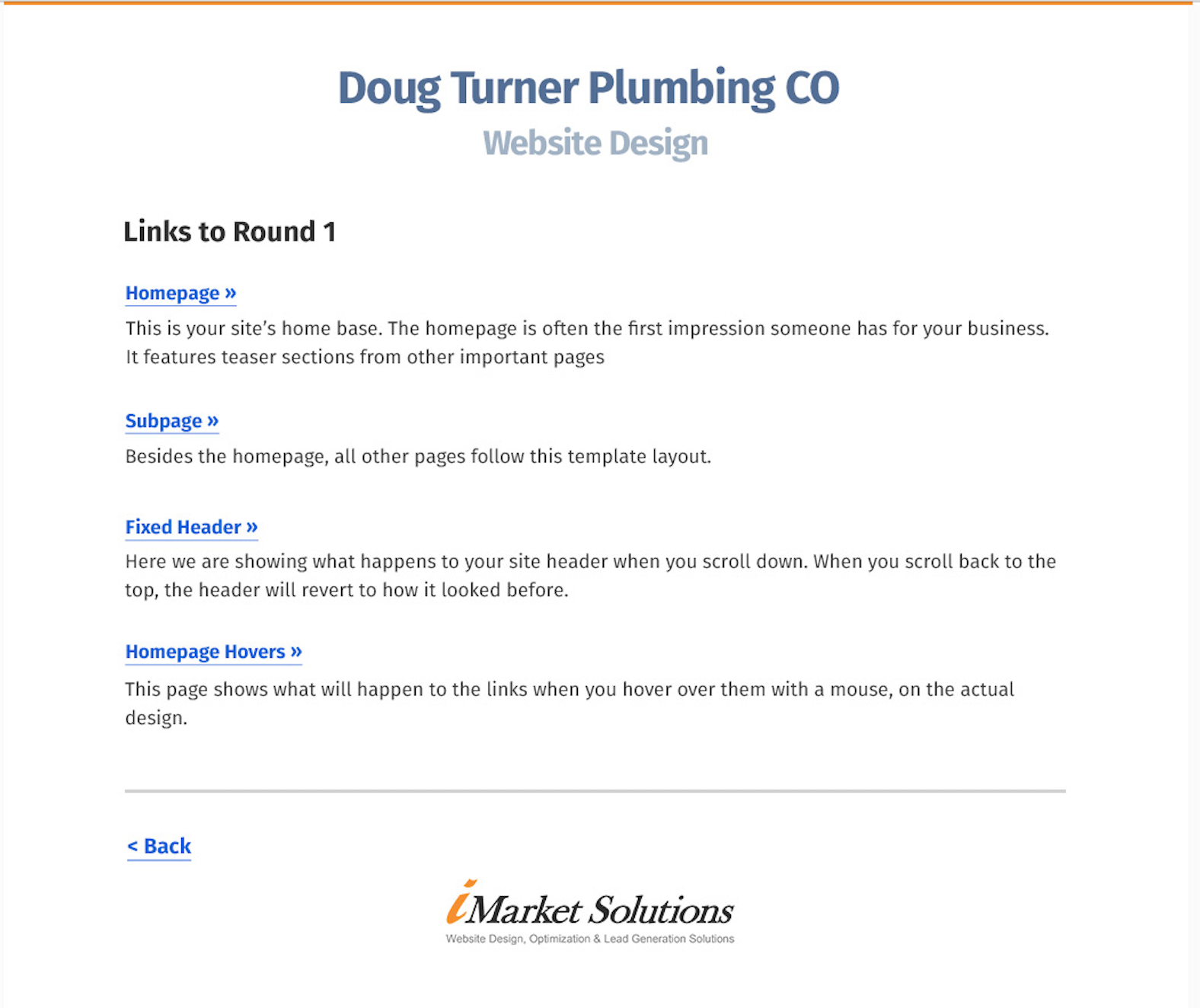
Early version. Internal feedback said it wasn’t easy enough to navigate around.

The first page of final version providing context
Solution
A bundle of static mockups with an interface and talking-points to set the stage. It can be used to send to the client or as a tools while presenting the design.
Why this solution works
- It puts each round of design into one URL for scalability and archiving
- It puts the mockup in a realistic setting, the client’s browser and a phone screen.
- It builds on conventions in the industry. This general practice has become pretty standard.
What would I change?
- Improve UX for designers; from FTP folders to a less error prone drag-and-drop interface.
- Make the mockup menu dynamic. In some cases, you may want to add or remove pages, and it’s manual work to do that now.
- Include a send as text option so you can see it on your phone.
Outcome
- Feedback: We received almost immediate positive feedback from the 2 stakeholders: CX and clients.
- Saved time for CX
- No more troubleshooting PDFs
- Reinforced repeated talking points cut down on questions of common questions
- Legacy: Used on 250+ designs & counting